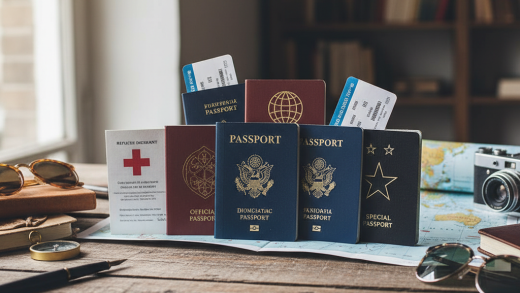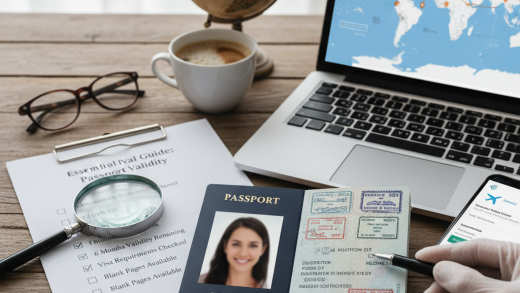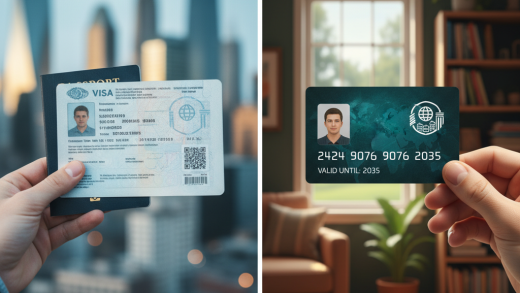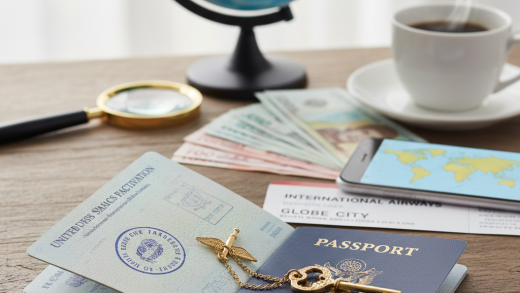
Verifying a passport issued by a foreign government can be daunting because every country employs different design standards, security features, and languages. However, international standards set by the International Civil Aviation Organization (ICAO) have harmonized many aspects of passport design. By focusing on these standardized features and understanding the universal principles of security printing, you can significantly reduce the risk of accepting a fraudulent document.
The First Line of Defense: Physical Inspection
The most immediate method of verification involves the tactile and physical examination of the booklet. Genuine passports are high-quality documents produced with specialized materials that are difficult for counterfeiters to source. Start by assessing the cover. Most modern passports have a cover that feels durable and distinct, often embossed with gold or silver foil. If the cover feels like cheap cardboard or the gold stamping flakes off easily under a fingernail scratch, treat it with suspicion.
Inspect the binding of the booklet. Legitimate passports are typically sewn together with specialized thread. Look for the stitching in the center pages; it should be consistent, tight, and often made of a multi-colored or fluorescent thread that reacts under UV light. Counterfeiters often use glue or staples to assemble pages, or the stitching may look frayed and uneven. If pages feel loose or appear to have been removed and re-glued, this is a major red flag indicating potential page substitution.
Paper Quality and Watermarks
Security paper is distinctively different from standard commercial paper. It usually has a specific texture—crisp and slightly rougher than standard printer paper—and does not glow brightly under UV light (it is ‘UV dull’). Counterfeiters often use standard paper which contains optical brighteners that cause it to glow blue-white under ultraviolet light. A genuine passport page will typically remain dark, allowing the invisible security ink to shine through.
One of the oldest yet most effective security features is the watermark. Hold the data page and the visa pages up to a strong light source. A multi-tone watermark should appear, showing varying degrees of lightness and darkness, often depicting the country’s coat of arms, a national symbol, or the page number. In a genuine document, the watermark is created during the paper manufacturing process by varying the thickness of the paper. In fakes, the watermark is often printed onto the surface, looking flat or greasy, or drawn on with a translucent ink.
Analyzing the Bio-Data Page
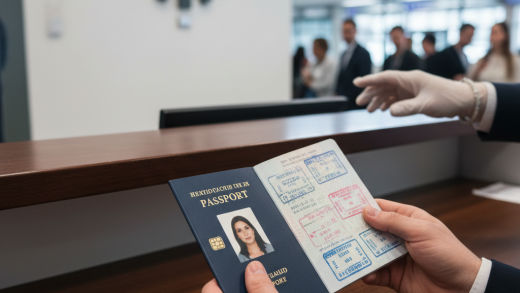
The bio-data page (the page with the photo and personal details) is the primary target for manipulation. Modern passports often use a polycarbonate data page, which is a hard, plastic-like layer where the personal data is laser-engraved. This makes the page sound distinctive when tapped and feel rigid. If a polycarbonate page shows signs of delamination—where the plastic layers are peeling apart—it suggests that someone may have tried to insert a new photo or alter the text.
Examine the photograph closely. In legitimate passports, the photo is digitally integrated into the page, not glued or laminated on top. Look for ‘ghost images’ or secondary portraits of the holder printed elsewhere on the page, often in a semi-transparent or holographic style. These ghost images must match the primary photograph exactly. If there are raised edges around the photo or if the laminate reflects light unevenly around the headshot, it may be a ‘photo-sub’ forgery.
Font and Printing Consistency
Security printing utilizes extremely high-resolution techniques that are difficult to reproduce with commercial inkjet or laser printers. Use a magnifying glass or a loupe to inspect the text. Genuine data is often printed using distinct, proprietary fonts. The edges of the letters should be sharp and clean. If you see tiny dots of cyan, magenta, yellow, and black (CMYK) forming the letters, it is likely a forgery produced on a standard home printer.
Check for background printing consistency. Passport pages usually feature complex background designs known as guilloche patterns—intricate, repetitive geometric lines that look like a spirograph drawing. These lines should be continuous and unbroken. If the background lines stop abruptly at the edge of the photo or look blurry and pixelated, it indicates that the background was scanned and reprinted, or that a photo was pasted over the original design.
Optically Variable Features
Holograms and Optically Variable Inks (OVI) are standard in modern passports to prevent photocopying. Tilt the passport under a light source. You should see holograms covering the data page (often laminates) that change color or image as the angle changes. These holograms often contain national symbols or the word ‘PASSPORT.’ A fake hologram will often look static, dull, or merely metallic without the illusion of depth and movement.
Similarly, look for OVI elements, which are inks that shift color (e.g., from green to purple) when tilted. This technology is expensive and strictly controlled, making it very hard for forgers to replicate effectively. If an element looks like it should shift color but remains a single flat tone, the document is likely illegitimate.
The Machine Readable Zone (MRZ)
The data in the MRZ must match the visual data on the page perfectly. This includes the name, passport number, nationality, date of birth, and sex. Furthermore, the MRZ contains ‘check digits’—mathematical calculations based on the other numbers in the string. If you have access to ID verification software or a simple MRZ calculator app, you can validate that the mathematics of the code are correct. A random string of numbers typed by a fraudster will almost certainly fail the checksum calculation.
Ultraviolet (UV) Security Features
If you handle foreign passports regularly, investing in a UV light source is essential. Genuine passports contain images and text printed in invisible UV-reactive ink. When placed under UV light, you might see the country’s name, a coat of arms, or complex patterns glowing in green, red, or yellow. Crucially, verify the stitching thread again; in many passports, the thread will glow.
Be wary of ‘bleed.’ In genuine security printing, the UV ink is sharp and precise. In forgeries, the UV ink often looks blurry, smudged, or misaligned with the visible features. Additionally, check the photo area under UV light. In many passports, the photo itself should not glow, or there should be a UV overlay on top of the photo. If the photo glows brightly (due to photo paper optical brighteners) or looks like a dark square obstructing the UV pattern, it has likely been swapped.
Microprinting and Nanotext
To the naked eye, some lines on a passport page might look like solid straight lines. However, under magnification, these lines are actually comprised of tiny text, repeating words like the country’s name or motto. This is called microprinting. Commercial scanners and printers struggle to reproduce text this small; they usually render it as a solid line or a blur. If you magnify a ‘line’ and cannot resolve distinct letters, or if the letters are illegible blobs, the document is suspect.
Biometric Chips (e-Passports)
Most modern passports are e-Passports, identified by the gold camera-like symbol on the front cover. These contain an embedded RFID chip storing the holder’s digital data. Verifying the chip is one of the most reliable ways to confirm legitimacy because the data is cryptographically signed by the issuing government.
Using an NFC-enabled smartphone or a specialized document scanner, you can read the chip. The software performs ‘Passive Authentication’ (checking the digital signature against the country’s public key) and ‘Active Authentication’ (ensuring the chip hasn’t been cloned). If the chip cannot be read, or if the digital signature is invalid, the passport is either damaged or fake. Furthermore, the high-resolution photo stored on the chip must match the printed photo on the data page.
Contextual and Logical Checks
Beyond the physical features, use logic to assess the document. Compare the issue and expiry dates. Standard adult passports are usually valid for 5 or 10 years. If a passport claims to be valid for 20 years, or if the issue date is in the future, it is fake. Check the holder’s age relative to the photo. If the passport was issued 9 years ago, the photo should look significantly younger than the person standing in front of you.
Examine the visa pages for stamps. While stamps can be forged, inconsistencies are common. Look for chronological logic in the travel history. Are there entry stamps without corresponding exit stamps? Do the dates of travel overlap impossible timeframes? Also, check for spelling errors in the stamps or on the data page. Governments rarely make typos in official documents; fraudsters often do.
Using Professional Verification Tools
While manual checks are vital, the sheer variety of foreign passports makes it impossible to memorize every security feature for every country. For businesses requiring high assurance, utilizing identity verification services is recommended. These services use automated document verification (ADV) technology that references global document libraries.
These systems can instantly check the MRZ checksums, verify the font styles against known templates, validate the UV patterns, and even check the document against global databases like Interpol’s Stolen and Lost Travel Documents (SLTD) database. This automates the process and removes human error, providing a pass/fail result within seconds.
Legal and Privacy Considerations
When verifying foreign passports, it is crucial to remain compliant with data privacy laws such as the GDPR in Europe or various consumer privacy acts in the US. You must have a legitimate reason for requesting the document and processing the data. Ensure you are not retaining copies of the passport longer than necessary and that any data storage is secure.
Furthermore, verification must be applied consistently to avoid discrimination. If you scrutinize passports from a specific region more aggressively than others without a risk-based justification, you could face legal repercussions. Establish a standard operating procedure (SOP) that applies the same verification steps to every foreign document you encounter.
Conclusion
Verifying a foreign passport is a multi-layered process that combines tactile checks, visual inspection, and digital validation. By looking for the hallmark signs of quality—such as laser perforation, intaglio printing, and holographic overlays—and cross-referencing these with the logical data in the MRZ and the biometric chip, you can spot the majority of forged documents. While technology provides the ultimate safety net, a trained eye remains the first and most effective barrier against identity fraud.