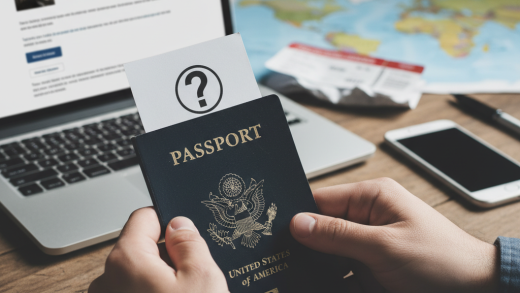
Waiting for a visa approval is often the most nerve-wracking part of planning an international trip. Whether you are applying for a tourist visa, a work permit, or permanent residency, the uncertainty of the processing time can be challenging. Fortunately, most immigration authorities and third-party visa processing centers now provide online tracking systems. These portals allow applicants to monitor the progress of their applications in real-time, offering peace of mind and the ability to plan accordingly. In this guide, we will walk you through the universal steps to check your visa status online and provide specific details for major destinations.
Prerequisites: What You Need Before Checking
Before you attempt to log in to any immigration portal, it is essential to have specific information on hand. Security protocols are strict to protect applicant data, so you will need to verify your identity. Generally, you should have the following documents ready:
- Passport Number: Ensure you have the passport used during the application process.
- Application Reference Number: This is arguably the most critical piece of information. It is usually found on the acknowledgement receipt provided after submission. It may be referred to as a Case ID, File Number, or Application ID depending on the country.
- Date of Birth: Used for secondary verification.
- Registered Email Address: Some portals may send a One-Time Password (OTP) for login access.
Step 1: Identify the Correct Official Portal
The first step is to visit the correct website. It is crucial to use official government websites or authorized service providers to avoid phishing scams. Depending on how you applied, you will check your status through one of two channels:
- Government Immigration Websites: If you applied directly through a consulate or an official government portal (e.g., US Department of State, IRCC for Canada), you must return to that specific site.
- Visa Application Centers (VACs): Many countries outsource administrative tasks to companies like VFS Global, TLScontact, or BLS International. If you submitted your biometrics and documents at one of these centers, you will likely track your initial status through their specific tracking tools.
Step 2: Navigate to the Application Tracking Section
Once you are on the correct website, look for a link labeled "Track Your Application," "Check Status," or "Manage Application." On government portals, this is often located under the main menu or the dashboard where you originally submitted your forms. On VAC websites like VFS Global, the tracking tab is usually prominently displayed on the homepage. Click on the link to proceed to the verification page.
Step 3: Enter Your Credentials
You will now be prompted to enter the details you gathered in the prerequisite phase. Accuracy is vital here; even a single digit error in your reference number or passport number will result in a "Record Not Found" error.
For example, if you are checking a US Visa status via the CEAC (Consular Electronic Application Center) website, you will need to select your visa type (Immigrant or Non-Immigrant) and enter the barcode number from your DS-160 confirmation page. For Schengen visas processed through VFS, you will typically enter the Reference Number found on your invoice receipt and your last name.
Step 4: Resolve Security Captchas
To prevent automated bots from scraping data, almost all visa tracking systems utilize CAPTCHA verification. Type the characters shown in the image or solve the puzzle presented. If the CAPTCHA is difficult to read, use the refresh button next to the image to generate a new one. Once completed, click "Submit" or "Track."
Step 5: Interpret the Status Messages
After logging in, you will see the current status of your application. The terminology varies by country, but the common statuses include:
- Received/Submitted: Your application has reached the embassy or consulate but has not yet been reviewed.
- Under Process/Administrative Processing: An officer is currently reviewing your documents. This stage takes the longest.
- Passport Ready for Collection: A decision has been made, and your passport is ready to be picked up or couriered. Note that this status does not explicitly say if the visa is approved or rejected for privacy reasons; you will only know the outcome upon opening your passport.
- Decision Made: Similar to the above, the process is complete.
Troubleshooting Common Issues
If you receive an error message stating "No Record Found," do not panic immediately. First, double-check your reference number and passport number for typos. Ensure you are not confusing the letter ‘O’ with the number ‘0’. If you recently submitted the application (within the last 24 hours), the system might not have updated yet. Wait another day and try again. If the problem persists for several days, contact the support helpline of the visa application center or the embassy.
Conclusion
Checking your visa application status online is a straightforward process once you have the correct reference numbers and know which portal to access. By regularly monitoring your status, you can stay informed about any additional document requests or interview requirements, ensuring a smoother journey toward your travel goals. Always remember to rely solely on official government or authorized VAC websites to protect your personal information.