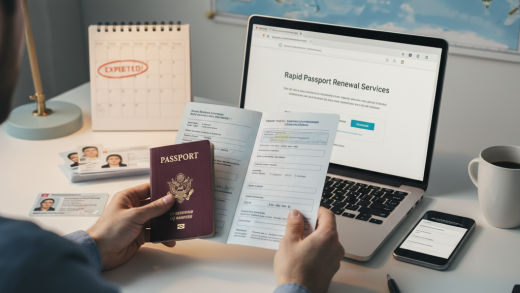

Your passport contains a wealth of personal information: your full name, date of birth, place of birth, nationality, passport number, issue date, expiry date, and a high-quality photograph. In the wrong hands, this data can be a goldmine for identity thieves, enabling them to open fraudulent accounts, make unauthorized purchases, or even commit crimes in your name. The implications of a compromised passport extend far beyond mere inconvenience.
While we often think of physical theft when it comes to passports, the digital realm presents an equally, if not more, insidious threat. Every time you submit your passport details online, whether for a visa application, flight booking, hotel reservation, or identity verification, you create a digital footprint. Ensuring this footprint remains secure requires vigilance and a proactive approach.
Why is Passport Data So Vulnerable Online?
The primary reason passport data is vulnerable online is its inherent value. Unlike a credit card number that can be easily canceled, your passport details are much harder to change and are recognized globally as proof of identity. This makes them a prime target for cybercriminals who specialize in identity theft and financial fraud.
Another factor is the sheer volume of online transactions requiring passport information. Travel agencies, airlines, visa processing centers, and even some financial institutions may request scans or images of your passport. Each point of data transfer represents a potential vulnerability if proper security protocols are not in place, either on your end or the recipient’s.
Common Scenarios for Online Passport Sharing
- Visa Applications: Many countries require digital copies of your passport for online visa applications.
- Flight and Accommodation Bookings: Some international airlines and hotels may request passport details during booking or check-in processes.
- Online Identity Verification: Financial services, cryptocurrency exchanges, and certain online platforms use passport scans for ‘Know Your Customer’ (KYC) compliance.
- Travel Insurance: Purchasing travel insurance often requires providing passport details.
The Risks: What Happens If Your Passport Data is Compromised?
- Identity Theft: Criminals can use your identity to open bank accounts, apply for loans, or obtain credit cards.
- Financial Fraud: Unauthorized transactions, credit card fraud, and even tax fraud can occur.
- Travel Complications: You might face issues at border control or even be denied entry to countries if your passport details have been misused or linked to fraudulent activities.
- Impersonation: Your identity could be used to commit crimes, leading to legal complications and a damaged reputation.
- Phishing and Scams: Once criminals have your information, they can craft highly convincing phishing emails or messages to extract even more personal data or money from you.
Best Practices for Securing Your Passport Data Online
1. Only Share When Absolutely Necessary and Verify the Recipient
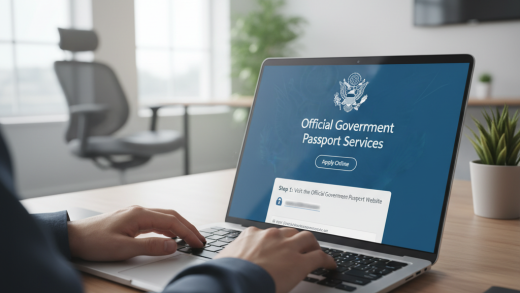
Before uploading or emailing your passport, always question if it’s truly required. If it is, ensure the requesting entity is legitimate. Research the company or government agency, check for official websites (look for https:// in the URL), and read reviews. Be wary of unsolicited requests for passport details.
2. Use Secure Connections (HTTPS)
When submitting data online, always check that the website uses an encrypted connection. Look for ‘https://‘ in the URL and a padlock icon in your browser’s address bar. This indicates that the data transmitted between your browser and the website is encrypted, making it much harder for third parties to intercept.
3. Avoid Public Wi-Fi for Sensitive Transactions
Public Wi-Fi networks (in cafes, airports, hotels) are often unsecured and can be easily monitored by malicious actors. Never submit passport information or engage in other sensitive activities while connected to public Wi-Fi. Use your home network, a trusted private network, or your mobile data connection instead.
4. Employ Strong, Unique Passwords and Two-Factor Authentication (2FA)
Every online account that might contain or be linked to your passport data should be protected by a strong, unique password. Use a password manager to generate and store complex passwords. Furthermore, enable two-factor authentication (2FA) wherever possible. This adds an extra layer of security, typically requiring a code from your phone in addition to your password.
5. Redact Unnecessary Information When Possible
If a service only requires specific details (e.g., your name and passport number) and asks for a full scan, consider redacting or blurring out sensitive information that isn’t requested, such as your photo, signature, or machine-readable zone, before uploading. However, be aware that some official bodies may require the complete document.
6. Be Vigilant Against Phishing Attempts
Cybercriminals frequently use phishing emails or texts to trick individuals into revealing sensitive information. Be suspicious of emails requesting passport details that seem urgent, have grammatical errors, or contain suspicious links. Always verify the sender’s legitimacy independently, perhaps by calling the organization directly using a known official number.
7. Use Secure File Transfer Methods
If you must send a digital copy of your passport via email, consider using encrypted attachments or secure file transfer services that offer end-to-end encryption. Avoid simply attaching an unencrypted image or PDF to a standard email.
8. Regularly Monitor Financial Statements and Credit Reports
Even with the best precautions, data breaches can happen. Regularly review your bank statements, credit card transactions, and annual credit reports for any suspicious activity. Early detection can mitigate potential damage.
9. Keep Your Software and Devices Updated
Ensure your operating system, web browser, antivirus software, and all other applications on your computer and mobile devices are always up-to-date. Software updates often include critical security patches that protect against newly discovered vulnerabilities.
10. Consider Identity Theft Protection Services
For an added layer of security, you might consider subscribing to an identity theft protection service. These services often monitor your personal information, credit, and public records for signs of fraud and can provide assistance if your identity is compromised.
11. Be Mindful of Cloud Storage
If you store digital copies of your passport in cloud services like Google Drive, Dropbox, or iCloud, ensure these accounts are heavily secured with strong passwords and 2FA. Ideally, encrypt the files themselves before uploading them to the cloud.
12. Limit Social Media Sharing
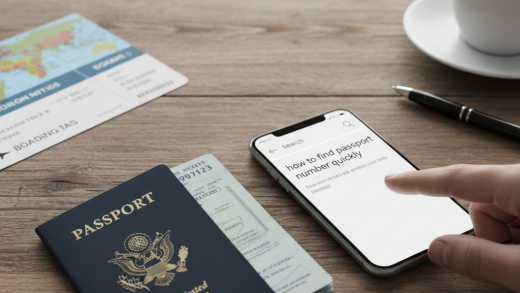
Never post images of your passport, boarding passes, or any travel documents on social media. These images can contain barcodes and other information that, if decoded, can provide access to your travel details and personal data.
What to Do If Your Passport Data is Compromised
- Contact Relevant Authorities: Report the incident to your national passport issuing agency and local law enforcement.
- Notify Your Bank and Credit Card Companies: Inform them of potential identity theft so they can monitor your accounts for fraudulent activity.
- Place a Fraud Alert: Contact credit bureaus to place a fraud alert or freeze your credit report.
- Change Passwords: Update passwords for all your online accounts, especially those linked to financial services or personal data.
- Monitor Your Accounts: Continue to monitor all financial and personal accounts for any unusual activity.
The Digital vs. Physical Passport
While this article focuses on digital security, remember that your physical passport is equally important. Treat it like cash or a credit card. Keep it in a secure location, carry it only when necessary, and be aware of your surroundings, especially in crowded tourist areas.
The Role of VPNs
A Virtual Private Network (VPN) can add an extra layer of security, especially when using public Wi-Fi. A VPN encrypts your internet connection, making it much harder for others on the same network to snoop on your data. While not a complete solution, it’s a valuable tool in your online security arsenal.
Educate Yourself Continuously
The landscape of online security is constantly evolving. Stay informed about the latest cyber threats, phishing techniques, and best practices for data protection. Regular education is your best defense against sophisticated attacks.
Conclusion: A Proactive Approach is Your Best Defense
Securing your passport data online is an ongoing commitment that requires diligence and awareness. By understanding the risks, adopting strong security practices, and staying informed, you can significantly reduce your vulnerability to identity theft and fraud. Your passport is your gateway to the world; ensure its digital twin is just as secure as the physical document.
Embrace a proactive mindset towards online security. Treat your digital passport data with the same care and caution you would your physical document, and you will be well-equipped to navigate the digital world safely and securely.